
Practical Tips for Setting Boundaries with Notifications
In today’s digital world, notifications are a constant presence on our smartphones, computers, and other devices. While they help keep us informed, they can also become overwhelming and disrupt our focus, productivity, and even our peace of mind. Setting clear boundaries with notifications is essential to maintain control over your time and attention. This post offers practical tips to manage notifications in a way that suits your lifestyle and work habits.
Why Setting Boundaries with Notifications Matters
Notifications are designed to capture your attention, often instantly. This can lead to frequent interruptions, making it difficult to concentrate on important tasks or enjoy moments without distraction. Constant notification alerts may contribute to increased stress and reduce your ability to be present. By setting boundaries, you can create a healthier digital environment that supports your goals and well-being.
Assess Your Current Notification Habits
Before making changes, it’s important to understand how notifications currently affect you.
– Track notifications: For a day or two, note how many notifications you receive and how often you check them.
– Identify distractions: Which notifications interrupt your flow the most? Consider social media, email, messaging apps, or news alerts.
– Recognize your triggers: Do you respond immediately to every ping? Understanding your reaction patterns will help you adjust better.
Tips for Setting Clear Boundaries with Notifications
1. Customize Notification Settings
Most devices and apps let you control how and when you receive notifications.
– Disable non-essential alerts: Turn off notifications for apps that don’t require immediate attention.
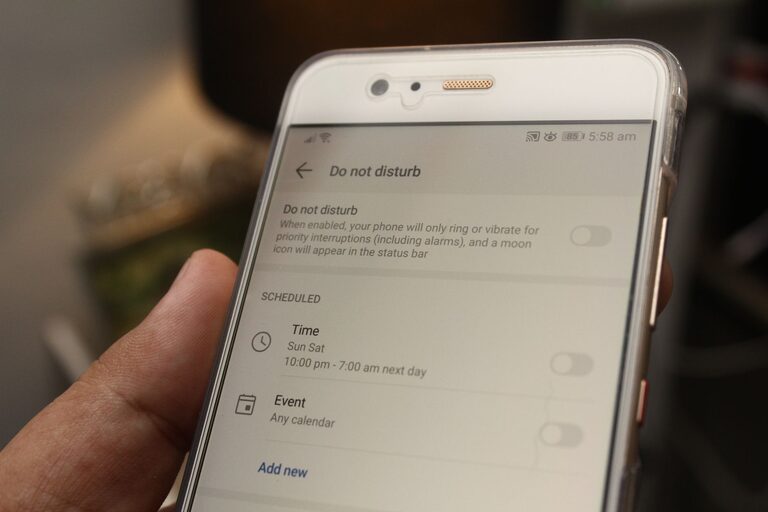
– Use “Do Not Disturb” modes: Schedule quiet hours during work, sleep, or family time.
– Prioritize important contacts and apps: Allow alerts only from key people or critical apps.
2. Use Notification Summary or Digest Features
Some smartphones offer a summary or digest mode that groups notifications and delivers them at set times.
– This reduces the constant “pop-up” effect.
– You can check updates in batches, making it easier to stay focused the rest of the time.
3. Set Specific Times to Check Notifications
Rather than responding immediately, allocate specific windows during the day to review notifications.
– For example, check emails at 10 a.m., 2 p.m., and 4:30 p.m.
– This approach minimizes interruptions and helps you plan your time better.
4. Turn Off Visual and Audio Alerts
Even subtle sounds or blinking lights can pull your attention away.
– Consider turning off notification sounds or vibrations.
– Avoid banner pop-ups that appear on your screen.
5. Organize Your Apps
Group apps by priority or type and place frequently used, critical apps where they are easy to access.
– Move less important apps to folders or different home screens to reduce temptation.
– Delete or temporarily disable apps that send excessive notifications.
6. Communicate Your Boundaries
Let friends, family, and coworkers know when you prefer not to be disturbed.
– Use status messages or email auto-responders during focus times.
– Setting expectations helps others respect your boundaries.
7. Use Technology Mindfully
Remember that you control your devices, not the other way around.
– Be intentional about app permissions and notification preferences.
– Periodically review and update notification settings as your needs change.
Benefits of Managing Notifications
When you set limits on notifications, you can expect:
– Increased focus and productivity
– Reduced stress and anxiety levels
– Improved sleep quality when nighttime alerts are silenced
– More meaningful in-person interactions without digital interruptions
– A better balance between work and personal life
Conclusion
Notifications are helpful, but without boundaries, they can easily take over your day and distract you from what matters most. By customizing settings, scheduling check-ins, and communicating your preferences, you can create an environment where notifications serve you, not control you. Start small, be consistent, and enjoy the benefits of a more focused digital experience.